Via Logo Via拾光 Via Journal
Via Logo
·
Via拾光 Via Journal

每天记录一点,长期看见自己的节奏

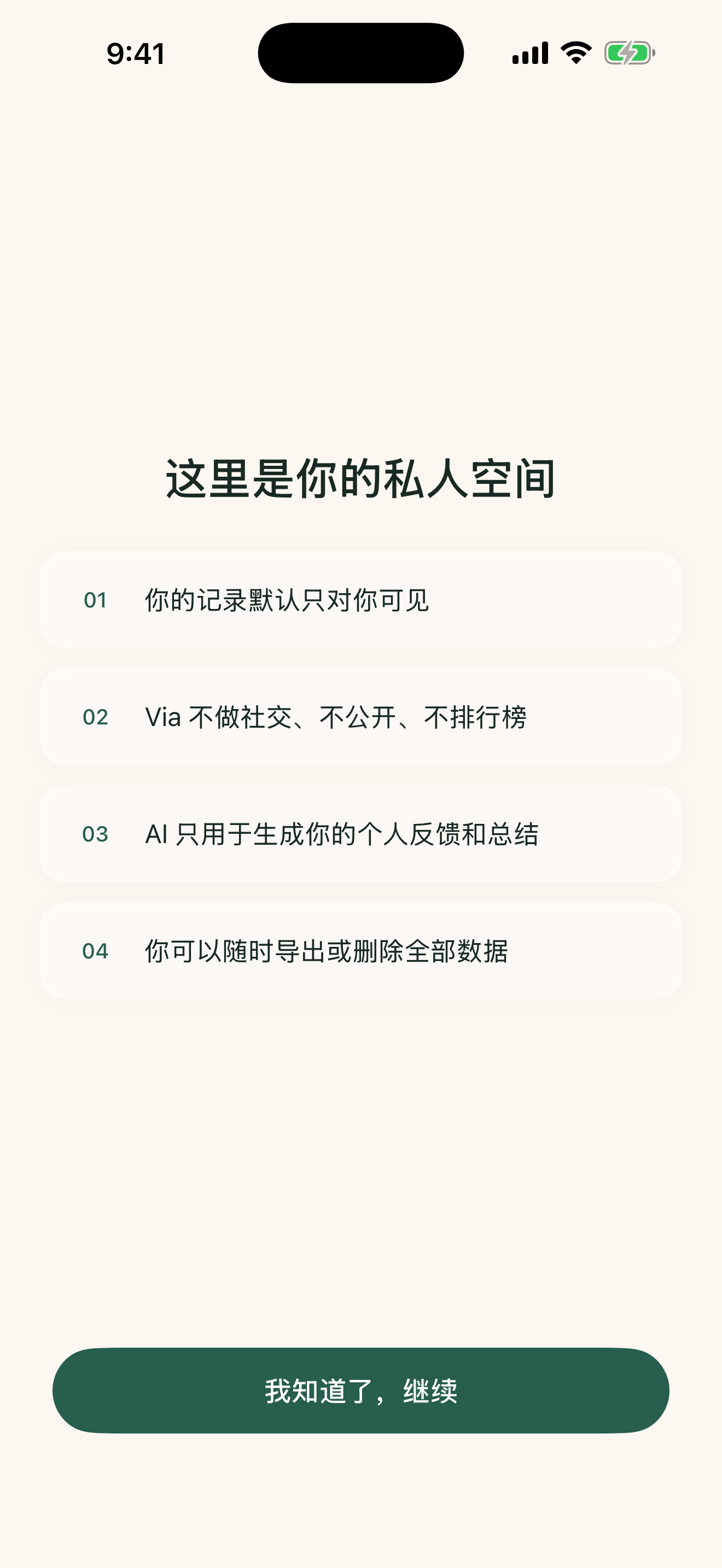
私密、低负担的 AI 日记 App。你的故事只属于你,数据永远留在设备上。

A little every day. See yourself over time.

A private, low-friction AI journal app. Your stories belong only to you — data stays on your device, always.

完全本地存储Fully local storage
设备端 AIOn-device AI
无账号 · 无追踪No account · No tracking
中英双语Chinese & English

温和、精致的日记体验

每一个界面都经过精心打磨,没有复杂的图表,只提供平静的记录与复盘空间。

A Calm and Beautiful Journaling Experience

Every detail is carefully crafted to offer a serene space for writing and reflection, free from clutter.

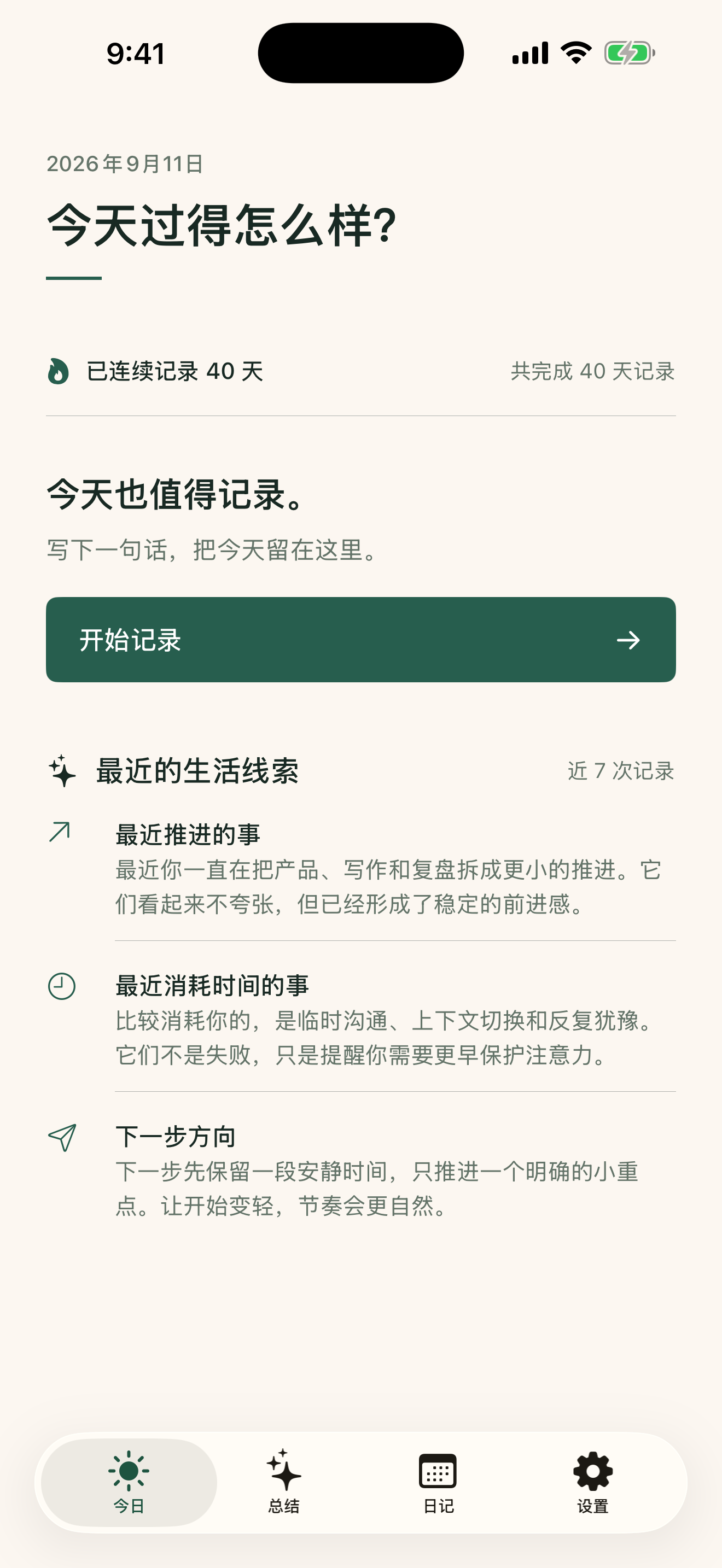
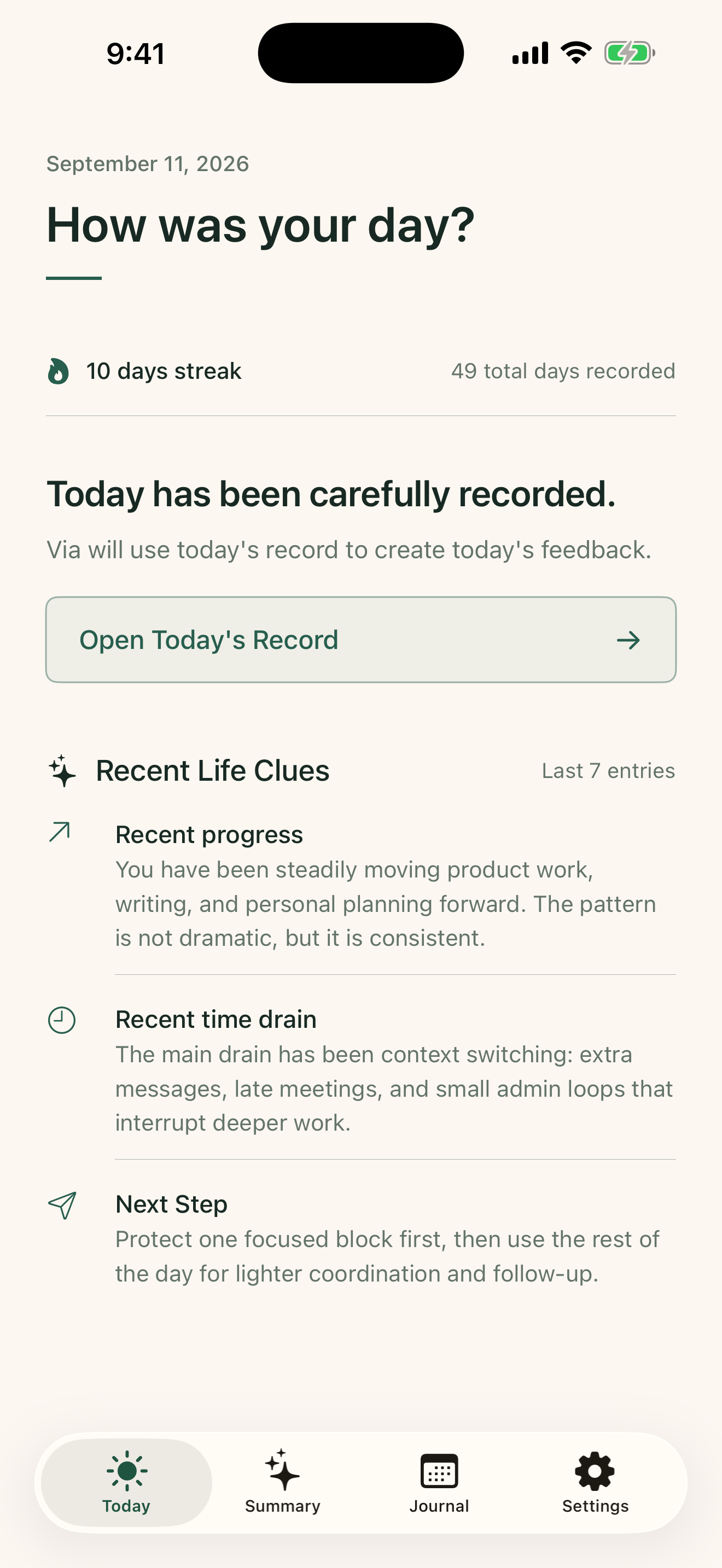
Today view primary

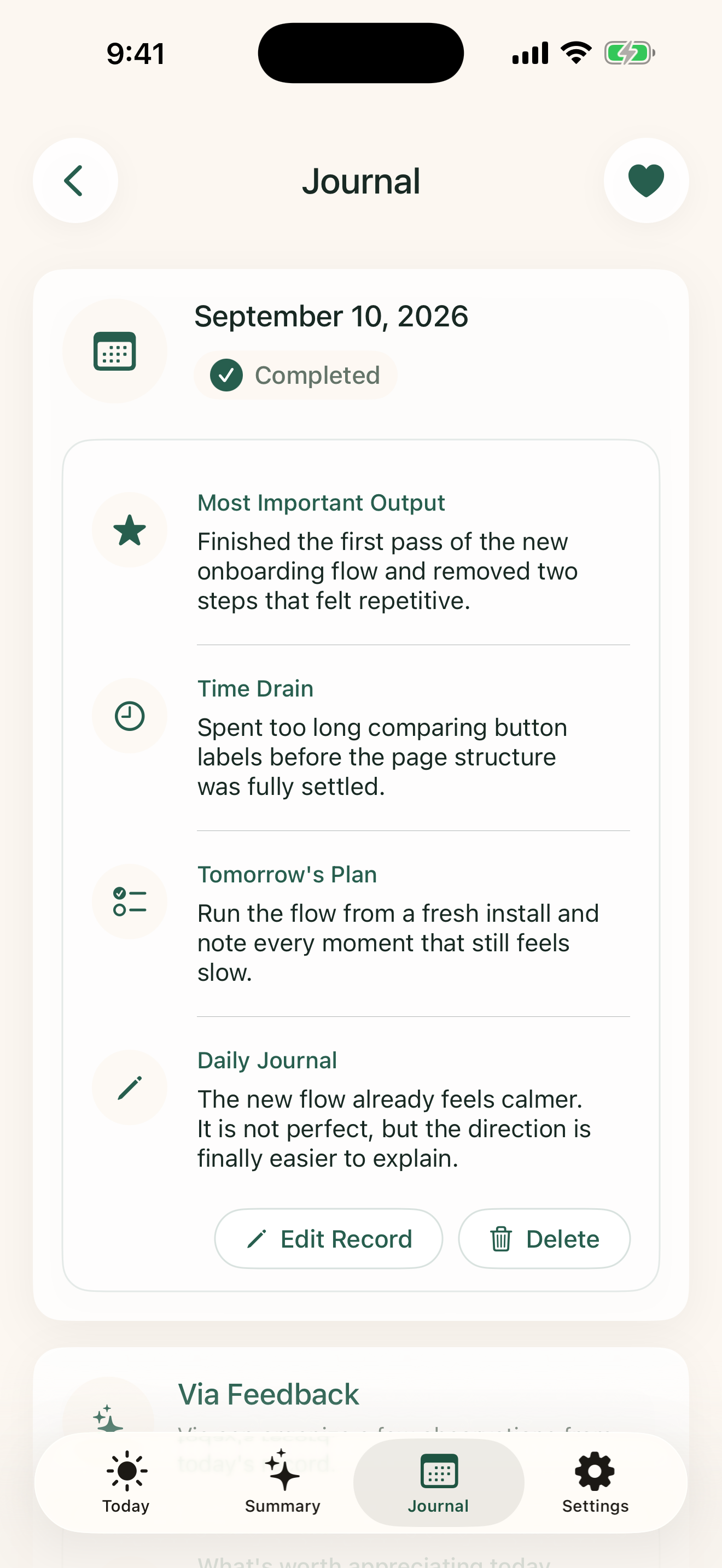
每天几分钟,留下生活线索

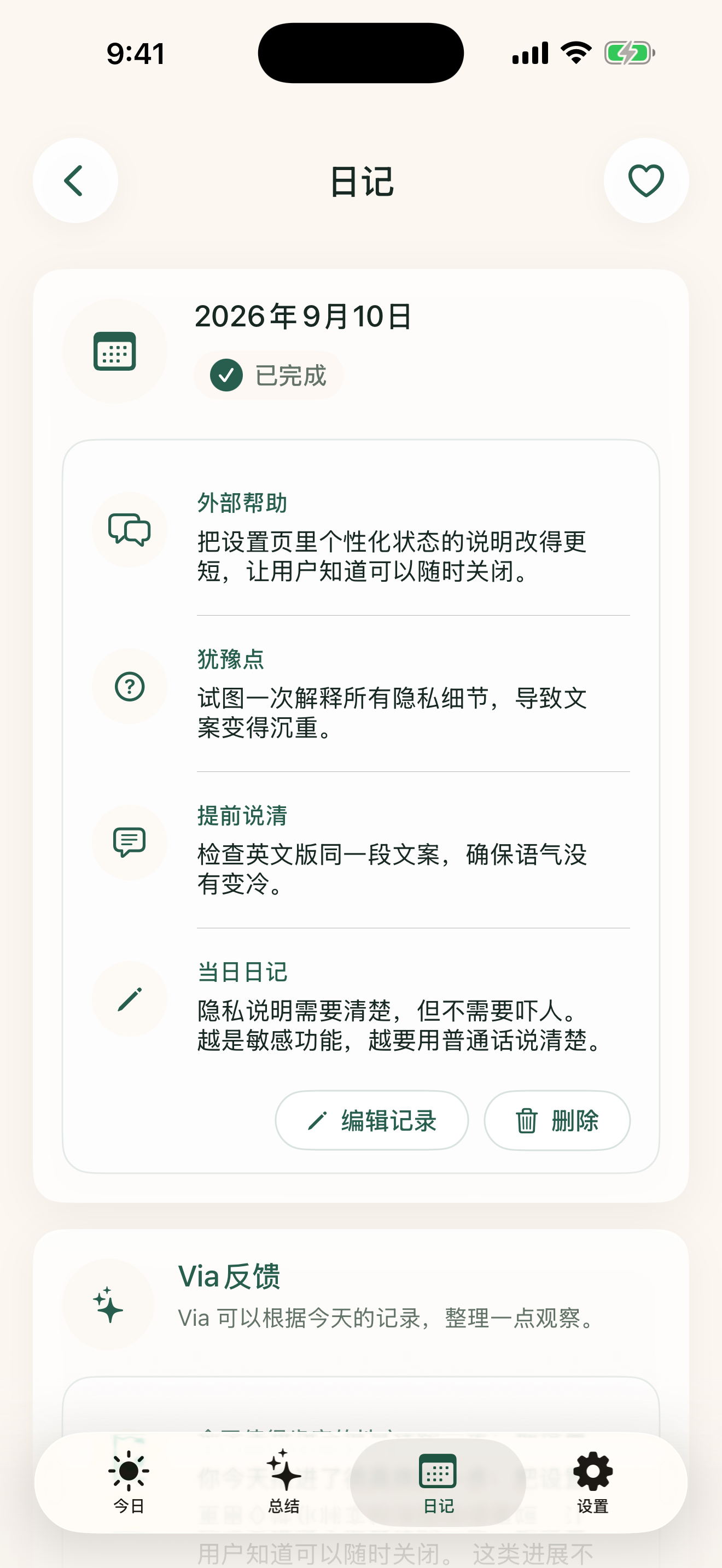
Via拾光 提供极简的结构化每日复盘。在完成今日记录后,设备端 AI 将即时为你整理一份温和的今日反馈,鼓励并提醒你明天的方向。

  • 结构化记录:产出、时间消耗与明日意图。
  • 当日 AI 反馈:肯定进展,提供温和建议与指引。
  • 设备端隐私:日记内容不会离开你的手机。

A Few Minutes a Day to Capture Your Path

Via Journal uses simple structured prompts. Once you submit, your on-device AI generates a gentle reflection with support and directions for tomorrow.

  • Structured prompts: Outlining outputs, time-wasters, and next plans.
  • Daily feedback: Affirming your progress with actionable suggestions.
  • Device privacy: All insights are distilled locally.

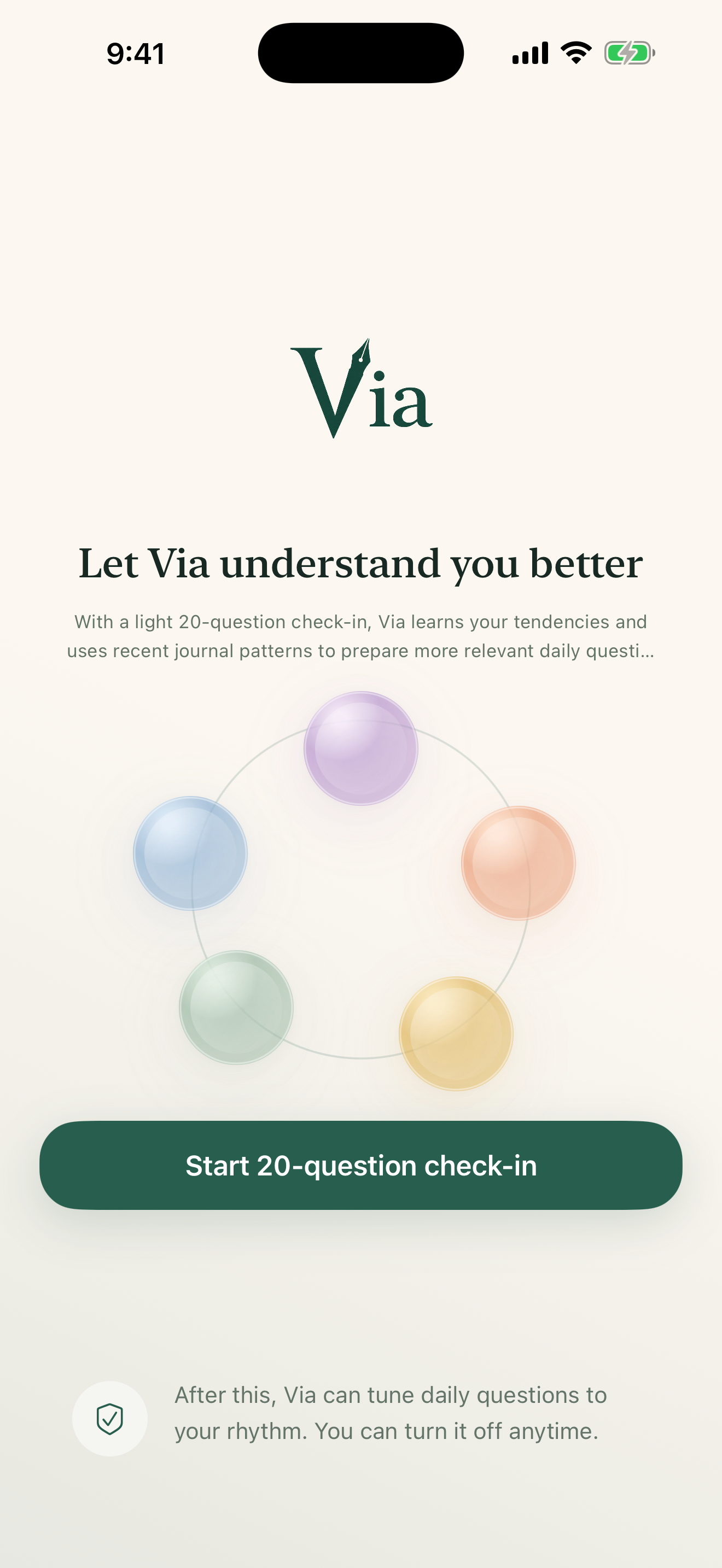
建立并微调你的“自我画像”

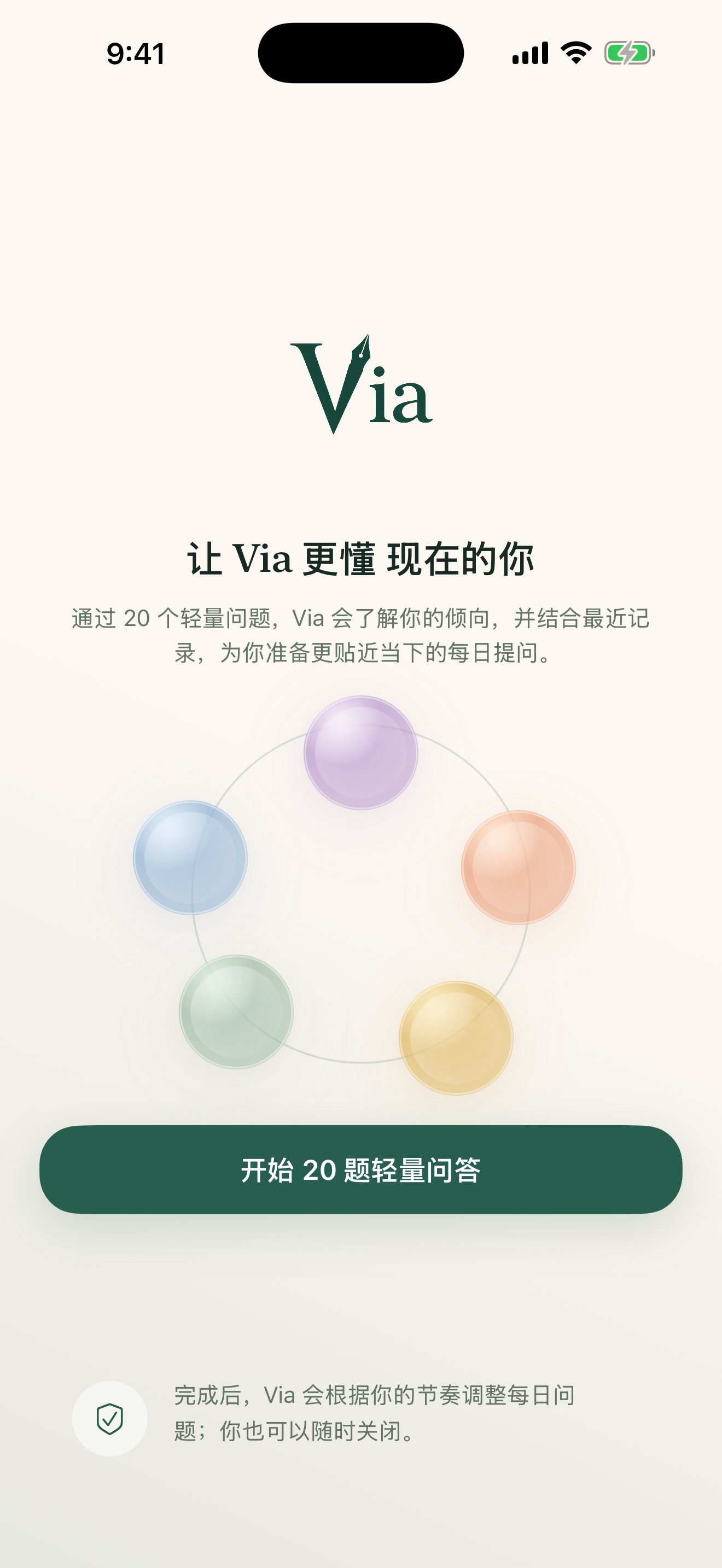
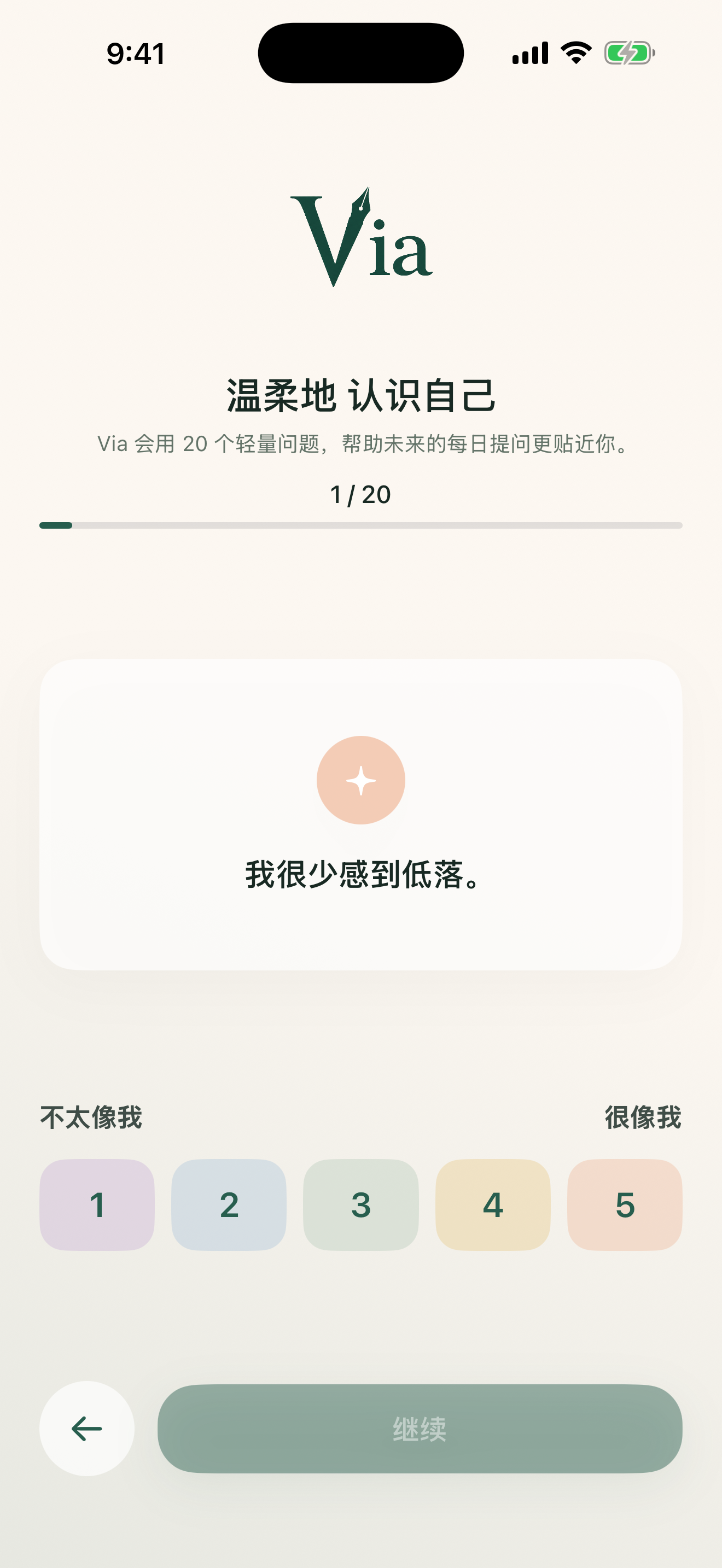
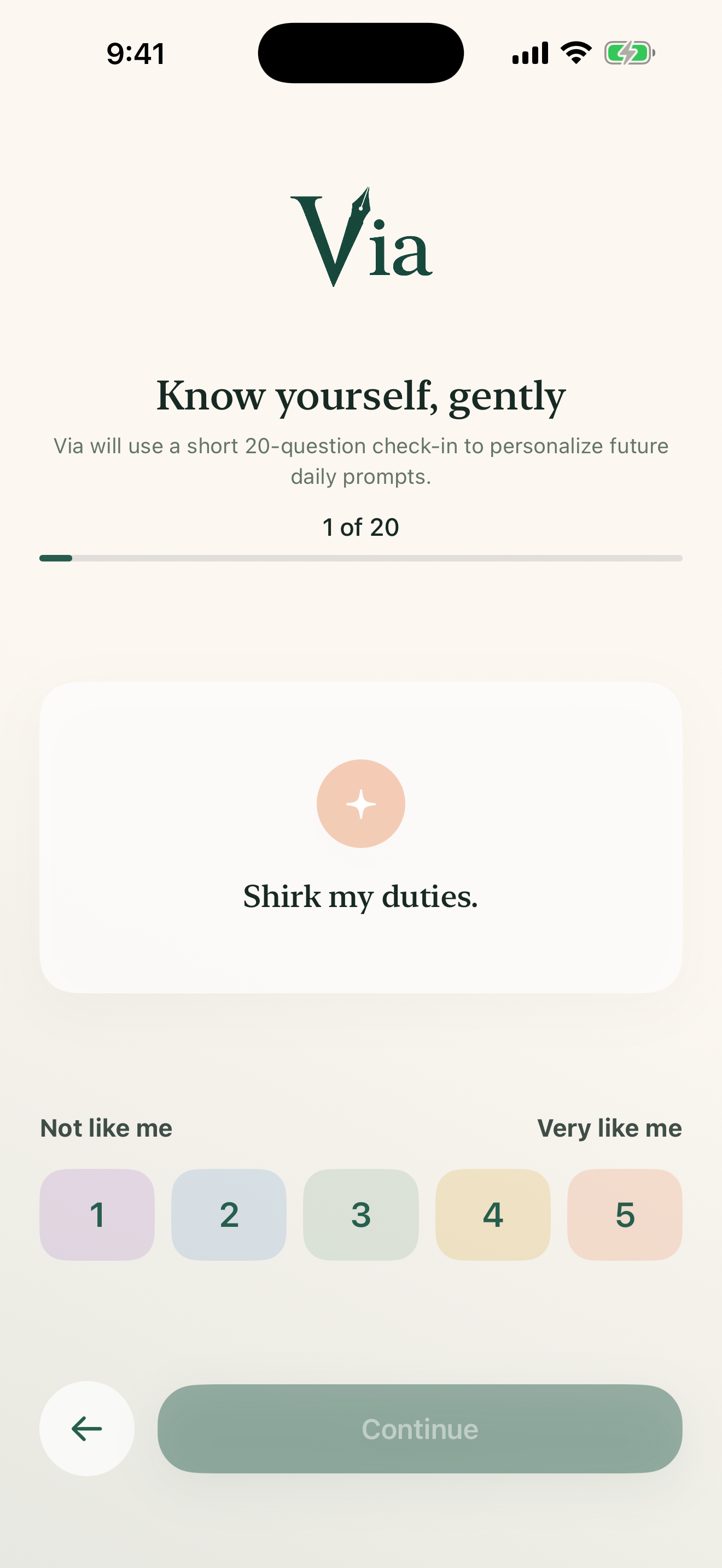
通过 20 个轻量提问,Via拾光 会在本地生成你的多维度生活倾向,自适应地调整每日提问。每周它还会读取你的记录,自动提炼线索,提醒你确认画像的变化。

  • 个性化倾向:开放性、外倾性、尽责性等五维分析。
  • 动态性格线索:根据每周日记自动试答,保持最新。
  • 无感调优:日记问题随画像动态变化,更懂当下的你。

Build and Fine-Tune Your Self-Portrait

A light 20-question onboarding sets up your personality dimensions. Each week, Via Journal reads your journals to suggest updates to your self-portrait, keeping your daily prompts tailored to your state.

  • Multi-dimensional profile: Tracks openness, conscientiousness, agreeableness, etc.
  • Dynamic updates: AI pre-fills personality checks based on weekly journals.
  • Adaptive prompts: Daily questions align perfectly with who you are now.

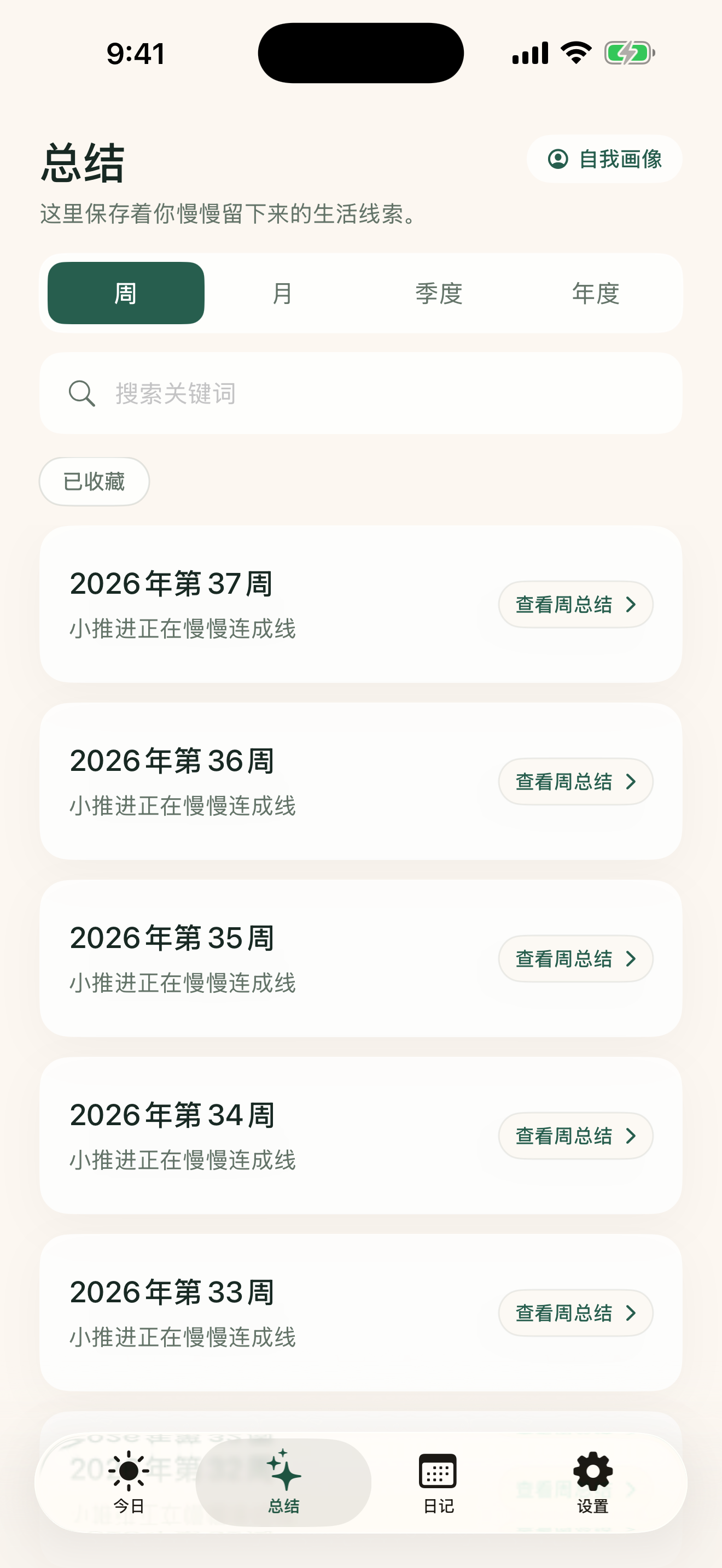
时间越长,洞察越深

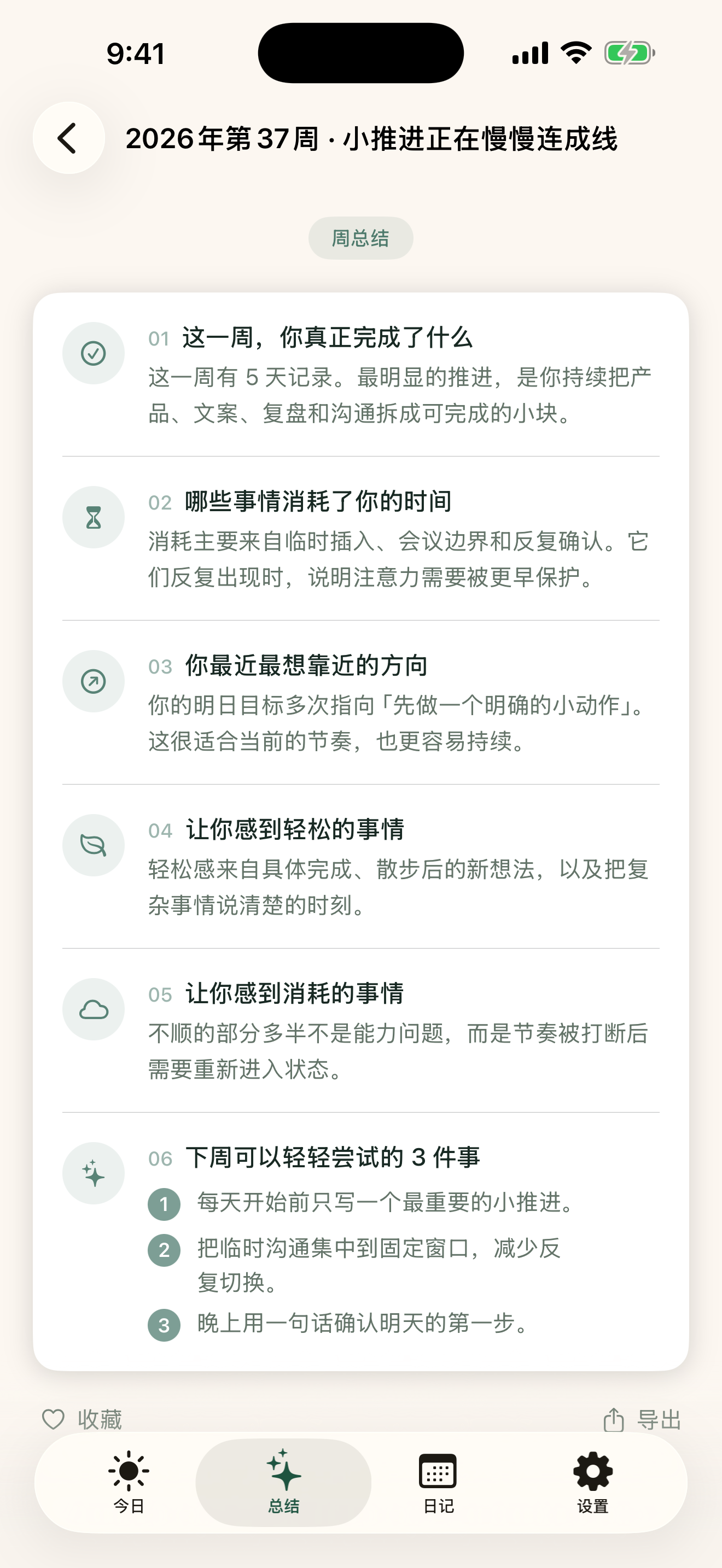
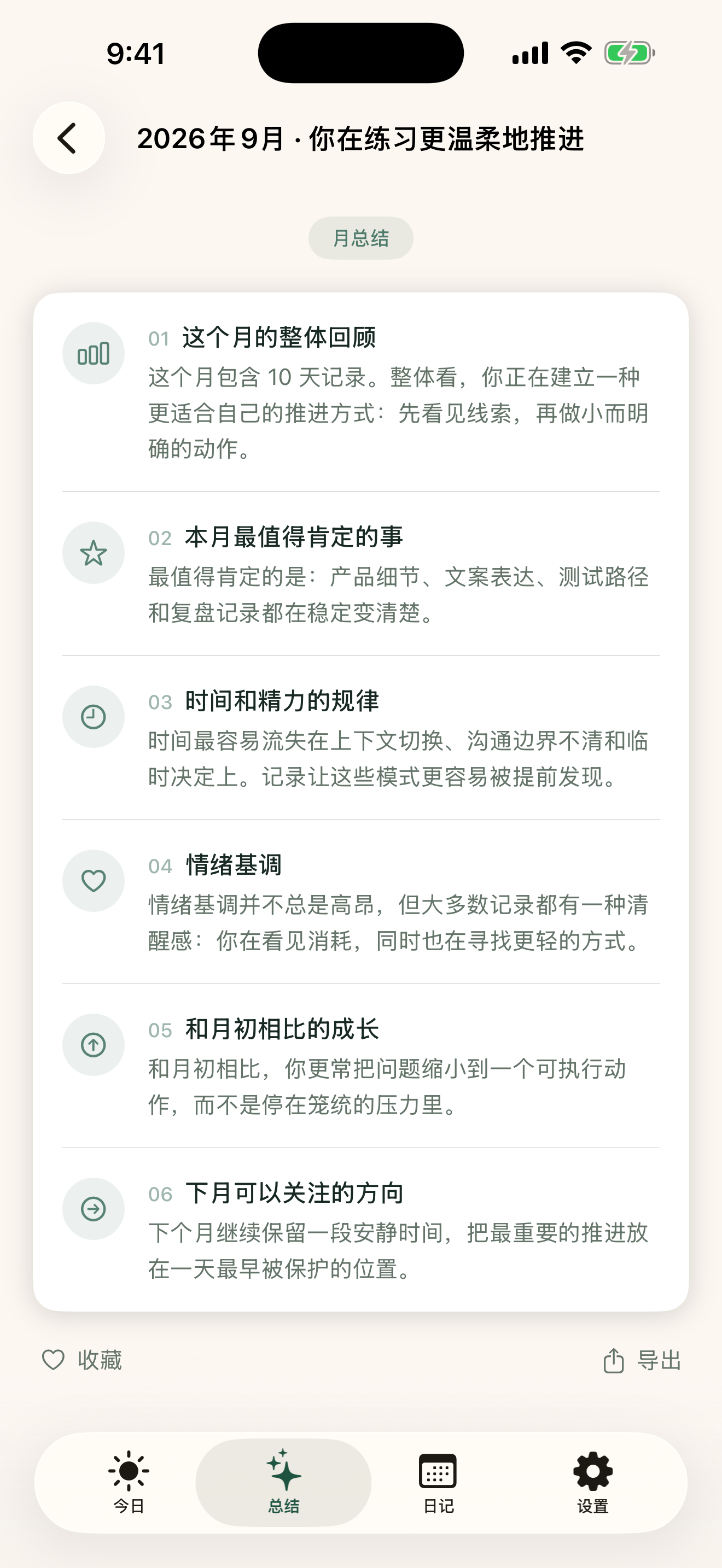
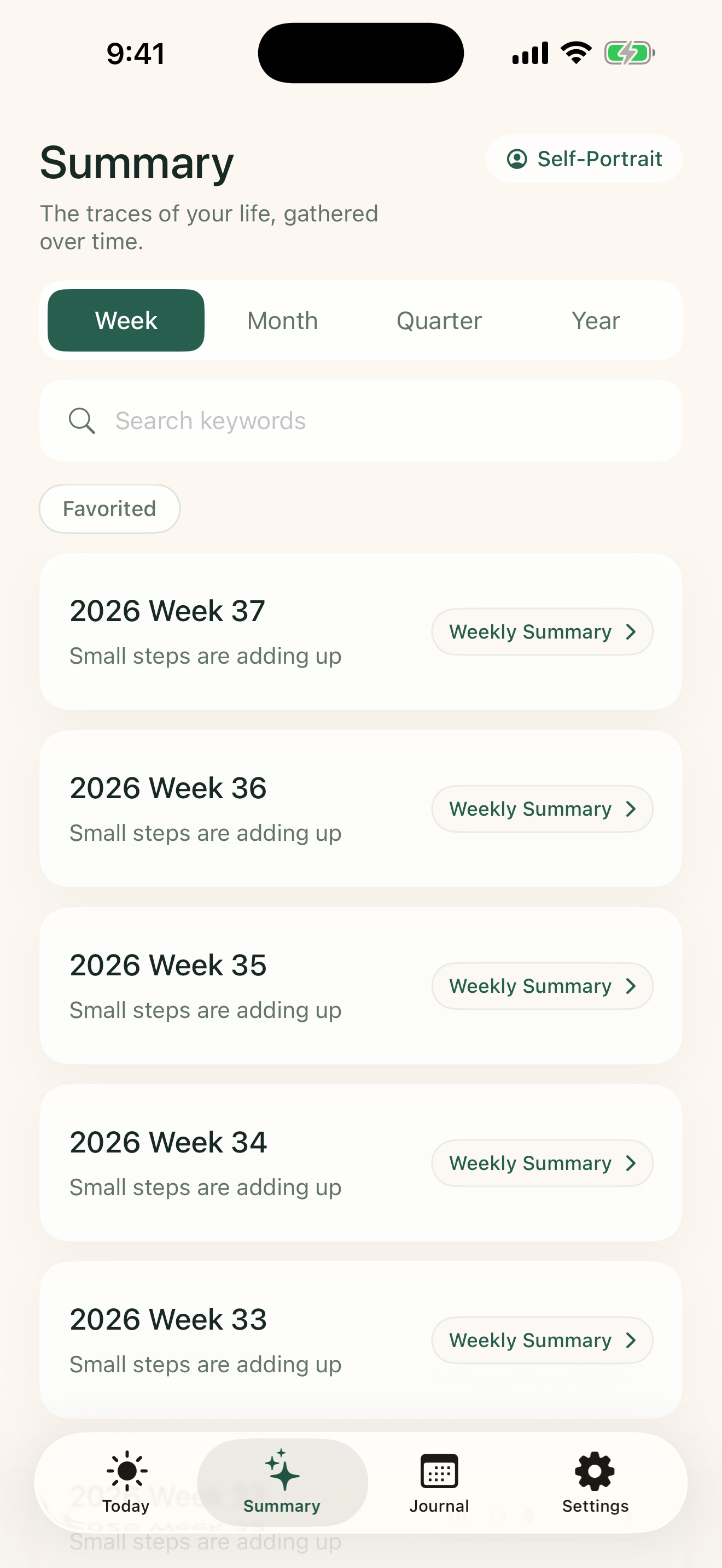
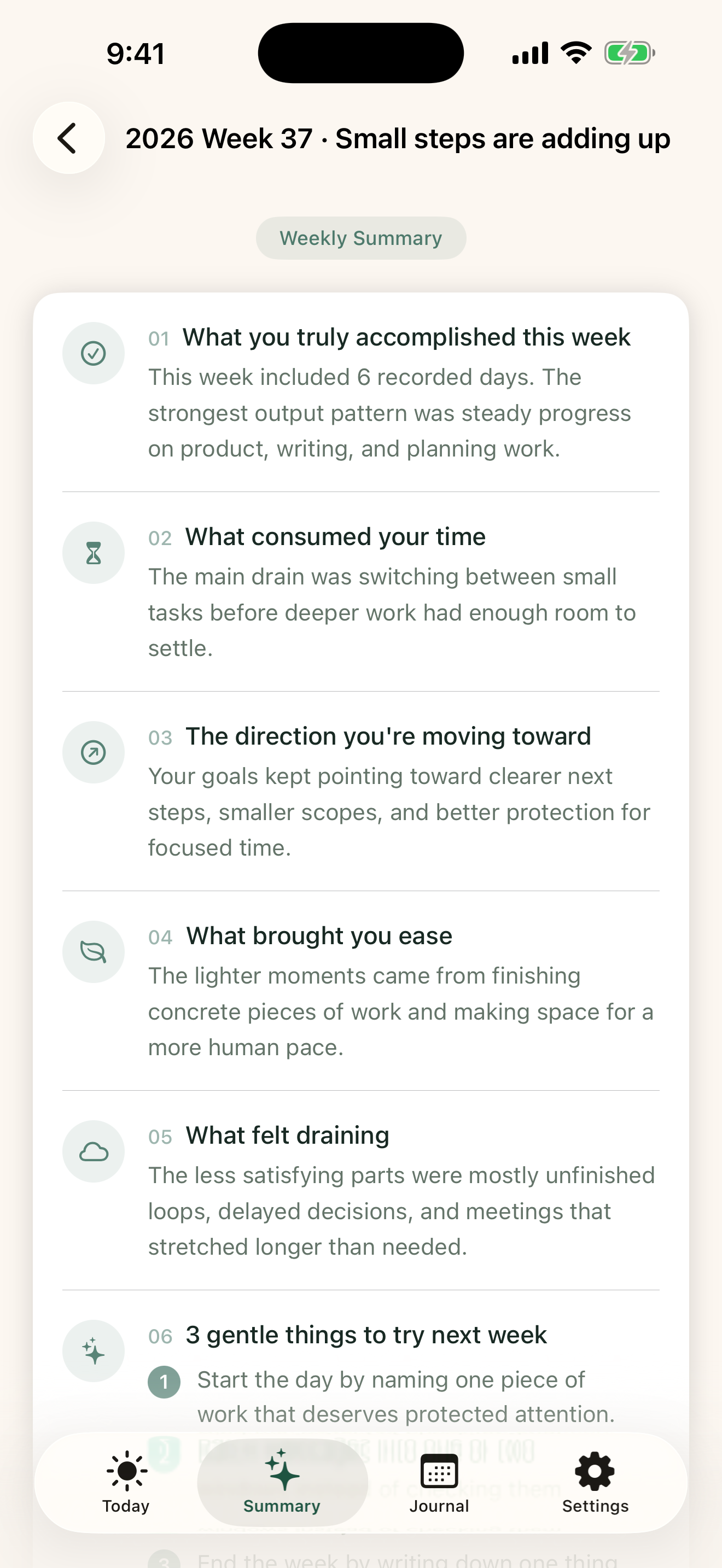
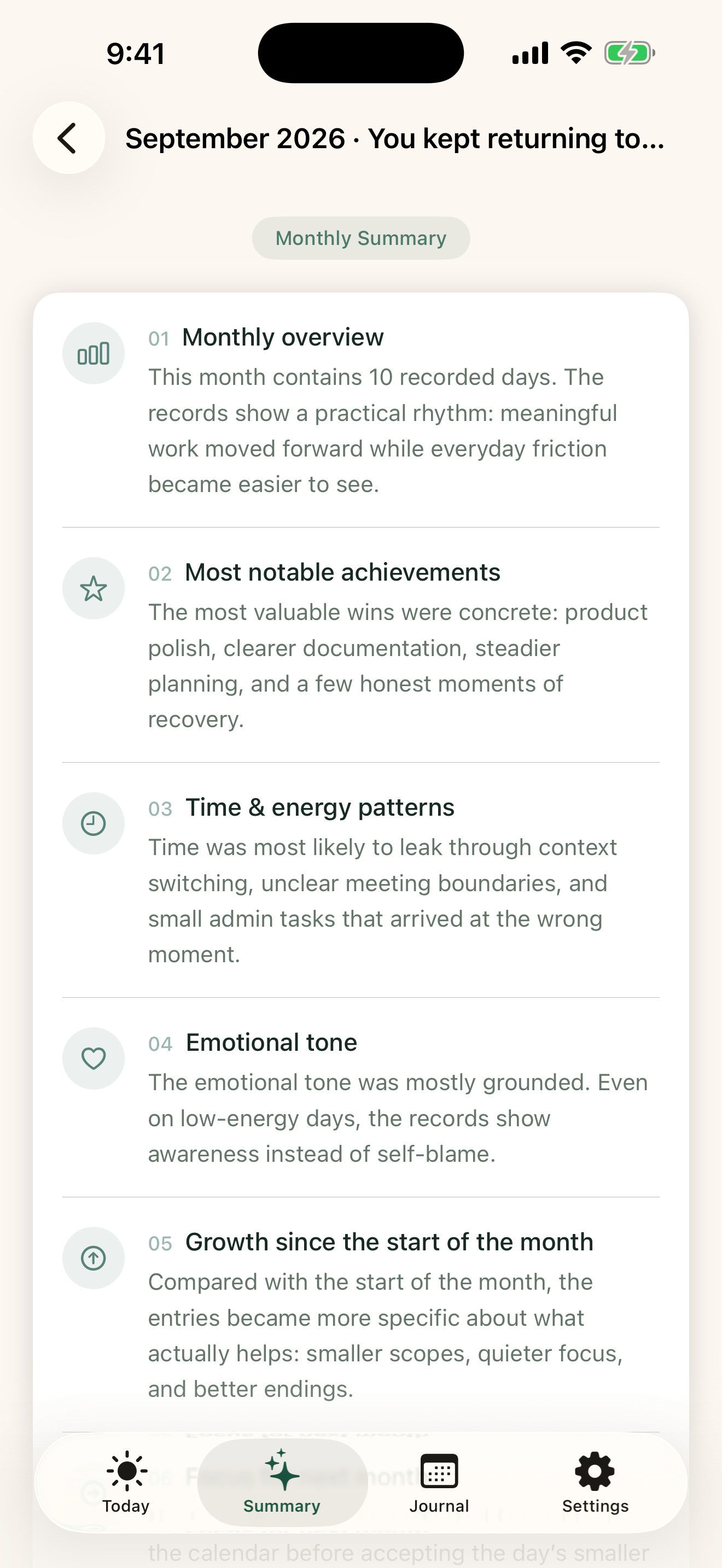
从周总结到年度总结,Via拾光 的 AI 会在每个周期结束时深入分析你的记录,帮你串联起时间消耗的规律与情绪主题,并给每份总结生成暖心的教练标题。

  • 周观察报告:第一份观察将在第 7 天自动解锁。
  • 中长期复盘:包含月度、季度与年度的大视角回顾。
  • 情绪与精力规律:不只是冰冷的数据,而是温暖的反思。

Longer Usage, Deeper Insights

From weekly summaries to annual retrospectives, Via Journal's AI tracks your habits, energy triggers, and mood trends, crowning each report with a warm, encouraging title.

  • Weekly observation: Unlocked automatically after 7 days of journaling.
  • Long-term reflection: Covering monthly, quarterly, and annual growth views.
  • Habit & energy themes: Warm insights rather than cold, technical statistics.

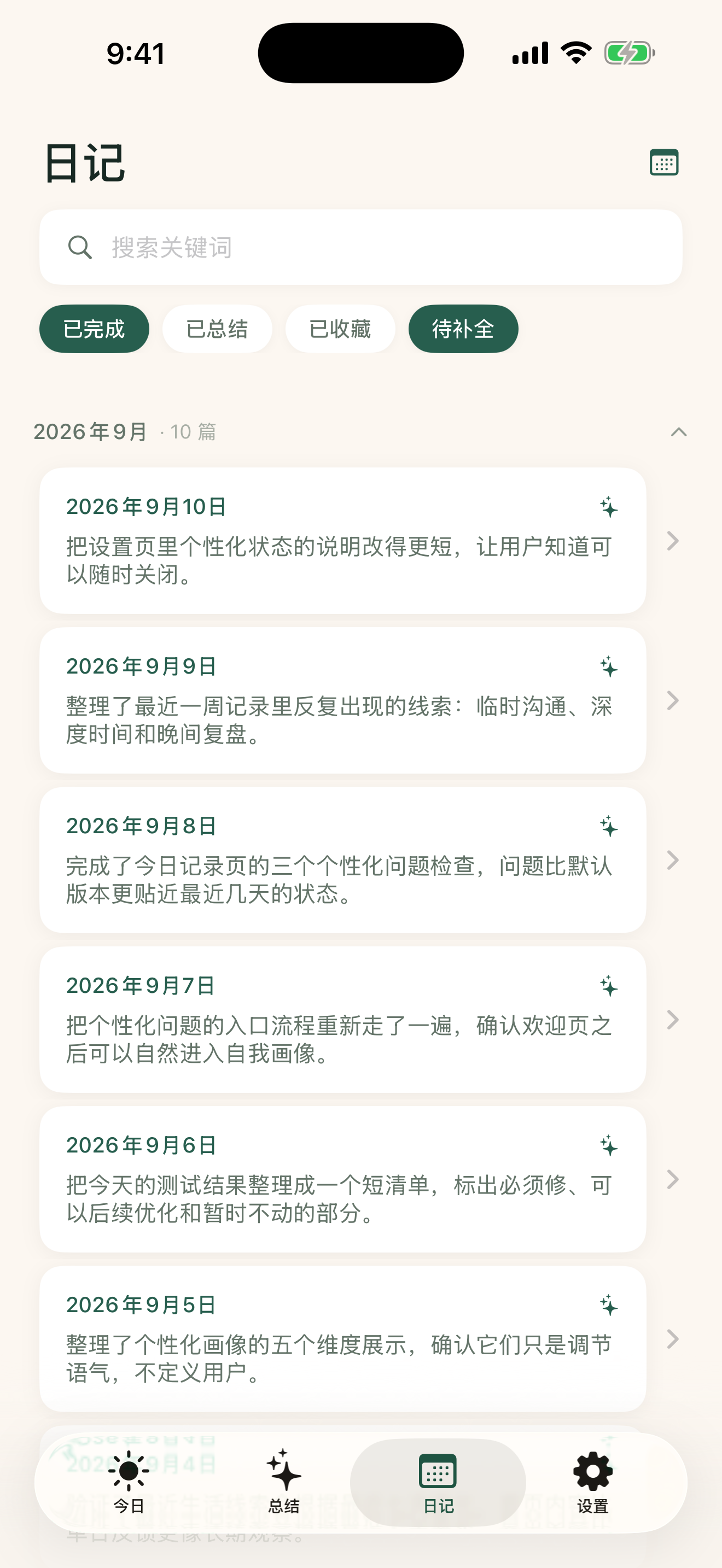
像翻阅手账一样查看历史

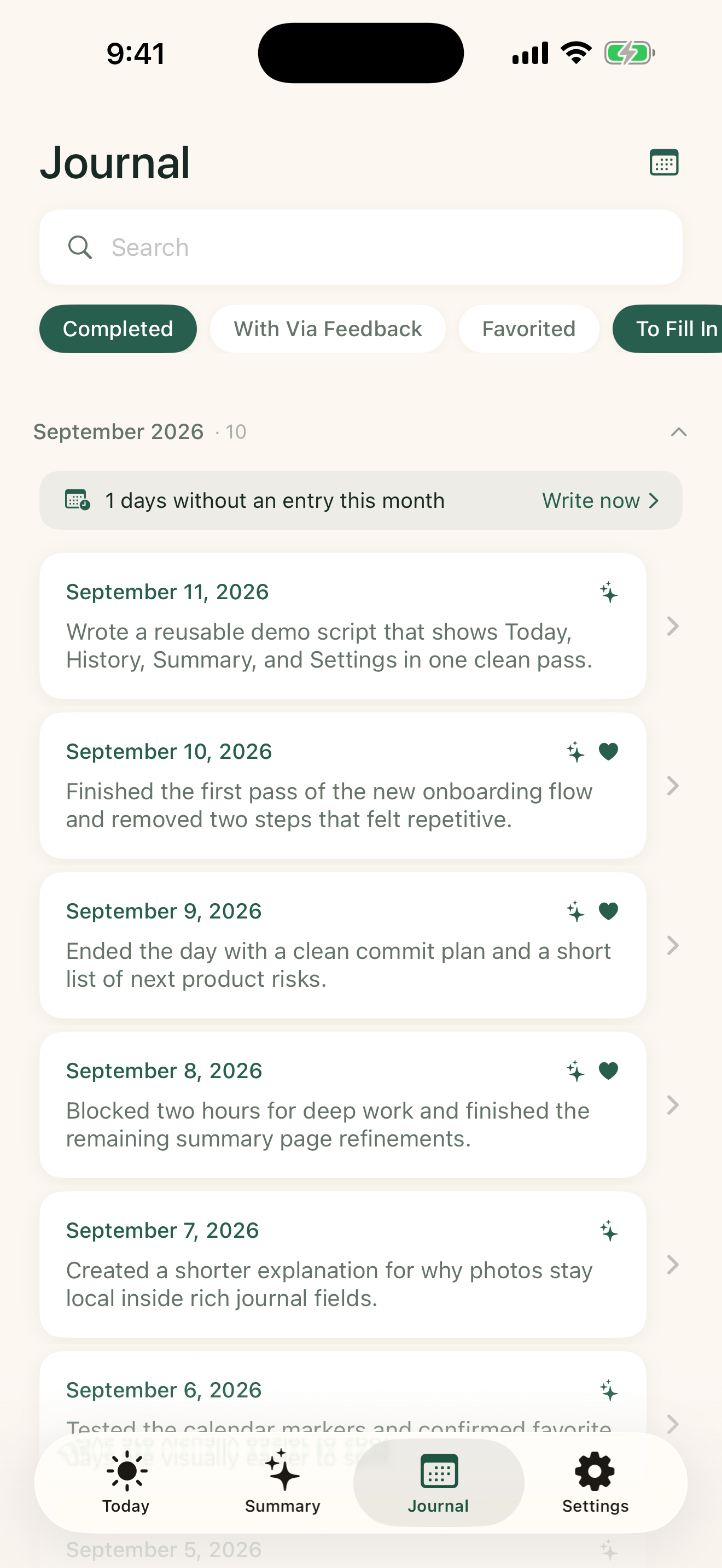
在历史视图中,你的记录将以优美的时间轴展现,你可以配合全文搜索或分类筛选,随时查看已总结或已收藏的内容。新版本还支持在日历中直接点击空白日期“待补全”记录。

  • 全文即时检索:快速搜索所有的日记字段。
  • 日历记录概览:通过日历色块一眼看清自己的记录频率。
  • 无压补写功能:漏记时可点击日历中任意空白日期进行补写。

Browse History Like a Personal Journal

View all entries in a timeline format. Search text or filter by favorites/summarized entries. Tap any missing date on the calendar tab to easily backfill an entry without stress.

  • Instant full-text search: Quickly find any past thoughts or events.
  • Calendar frequency: Spot patterns of recording days at a single glance.
  • Retroactive logging: Tap any blank calendar day to add entries.

做少,但做得深

Via拾光 不是一款要你打卡、攒成就的 App。它只是一个安静的地方,让你每天停下来一会儿,写下真实的自己。

Do less. Feel more.

Via Journal isn't an app that rewards streaks or gamifies your habits. It's a quiet place to pause each day and write something true about yourself.

🔒

私密第一

所有数据存在你的设备上。没有服务器,没有账号,没有任何人能看到你写的内容。

Privacy first

All data lives on your device. No servers, no accounts, no one else can ever read what you write.

🌱

低负担

4 个问题,几分钟完成。没有强制连续打卡,漏了也没关系,随时可以回来。

Low friction

Four prompts, a few minutes. No mandatory streaks — missed a day? That's fine. Come back whenever.

🤖

AI 在本地

使用 Apple 设备端大模型分析你的记录,日记内容不会离开你的手机半步。

AI on your device

Powered by Apple's on-device Foundation Models — your journal never leaves your phone to reach any AI server.

🌊

长期陪伴

周、月、季度、年度复盘帮你看见自己的成长轨迹,而不是孤立的某一天。

Long-term perspective

Weekly, monthly, quarterly, and annual reflections help you see your growth over time — not just isolated days.

三步开始,终生受益

Via拾光 的流程极度简单。你只需要每天花几分钟,剩下的交给时间。

Start in minutes. Benefit for years.

Via Journal's flow is deliberately simple. Spend a few minutes each day — and let time do the rest.

1

每天回答 4 个问题

今天最重要的产出是什么?什么浪费了你的时间?明天最想做什么?还有一段自由日记。支持富文本、照片和语音输入。

Answer 4 daily prompts

What was your most important output? What drained your time? What do you most want to do tomorrow? Plus a free-form journal. Supports rich text, photos, and voice input.

2

AI 提炼你的生活线索

完成当天记录后,Via拾光 的 AI 会给你一条温和的日反馈。首页还会实时显示最近 7 条记录中提炼出的产出方向、时间模式和下一步意图。

AI distills your life threads

After each entry, Via Journal's AI gives you a gentle daily reflection. Your home screen also shows live patterns from your last 7 entries — output direction, time habits, next intentions.

3

长期总结,看见自己

记录满 7 天后,Via拾光 生成你的第一份周观察报告。之后按月、季度、年度持续复盘,每份总结都有 AI 提炼的暖心标题,像一位私人教练陪你回望。

Periodic reflections reveal patterns

After 7 days, Via Journal generates your first Weekly Observation. Monthly, quarterly, and annual summaries follow — each with an AI-crafted title that feels like a gentle coach reflecting back what you've done.

该有的都有,不该有的一个没有

Via拾光 专注于日记和复盘,没有社交、排行、积分或任何干扰你专注内心的功能。

Everything you need. Nothing you don't.

Via Journal focuses on journaling and reflection — no social feeds, leaderboards, points, or anything that pulls your attention outward.

📝

富文本日记

支持加粗、斜体等文字格式,可以直接插入照片,记录更完整。

Rich text journal

Bold, italic, and inline photos — capture more than plain words.

👤

自我画像与线索

20 题轻量问答与 AI 分析,让 Via拾光 自适应调整每日提问。每周基于日记提炼性格线索,轻轻更新自我画像。

Self-Portrait & Traits

A 20-question profile and AI analysis adapt daily prompts to you. AI refines personality clues weekly to update your portrait.

🎤

语音输入

按下麦克风,说出来,文字自动填入。触觉震动提示录音就绪。

Voice input

Tap the mic, speak, and text fills in automatically. Haptic feedback signals it's ready.

📅

历史与日历视图

时间线浏览所有日记,切换日历视图一眼看清哪些天有记录。

History & calendar view

Browse your timeline or switch to calendar view to see your recording pattern at a glance.

🔍

全文搜索

跨所有字段搜索历史记录,找到那条模糊记得的内容。

Full-text search

Search across all fields and all your entries to find that vaguely-remembered moment.

收藏与筛选

收藏重要日记,按已完成、草稿、收藏快速筛选浏览。

Favorites & filters

Star important entries and filter by completed, draft, or favorited status instantly.

📤

导出与备份

导出 Markdown、CSV、纯文本;完整 JSON 备份可恢复所有数据包括照片。

Export & backup

Export as Markdown, CSV, or plain text. Full JSON backup restores everything including photos.

🔔

每日提醒

设置你的复盘时间,Via拾光 发送本地通知提醒,完全不经过网络。

Daily reminders

Set your reflection time. Via Journal sends local notifications — no network involved.

🔐

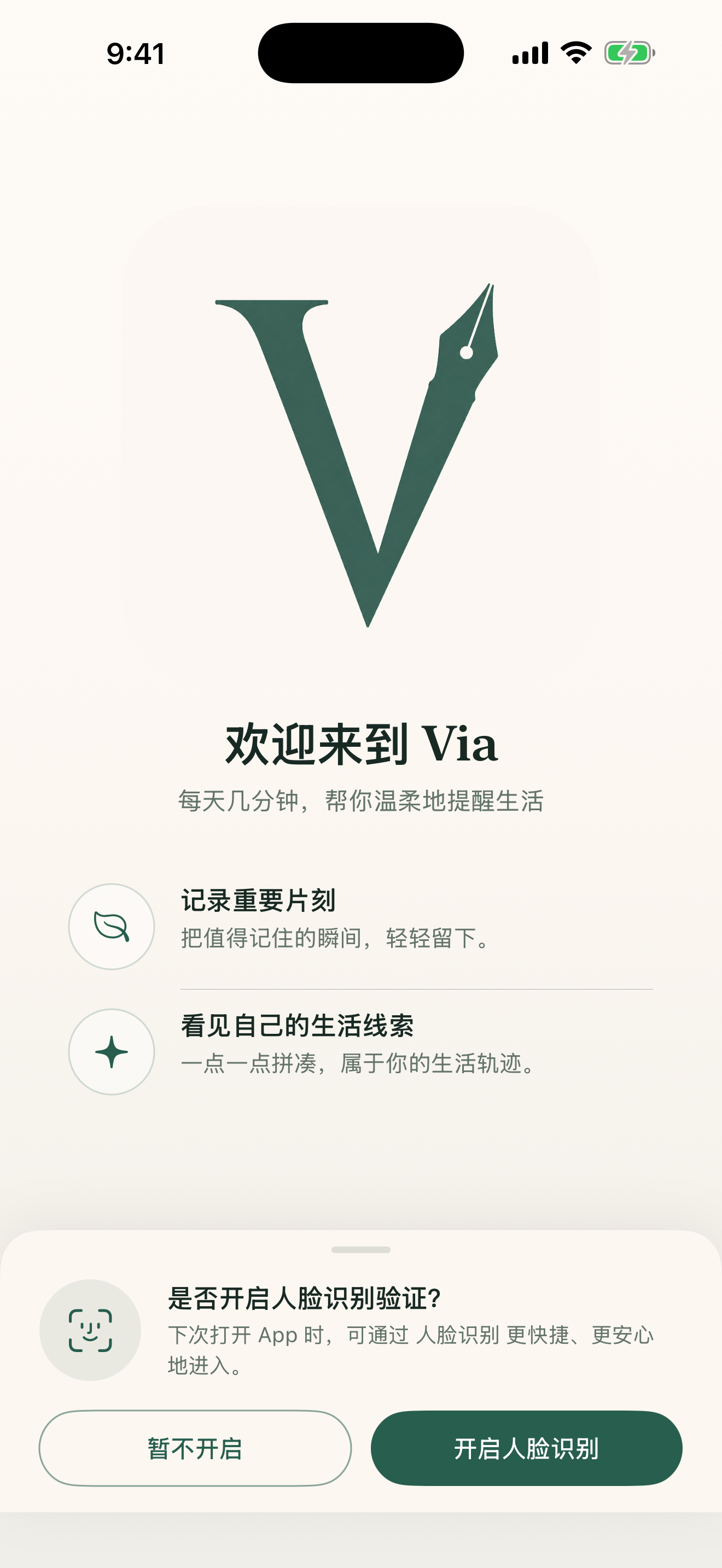
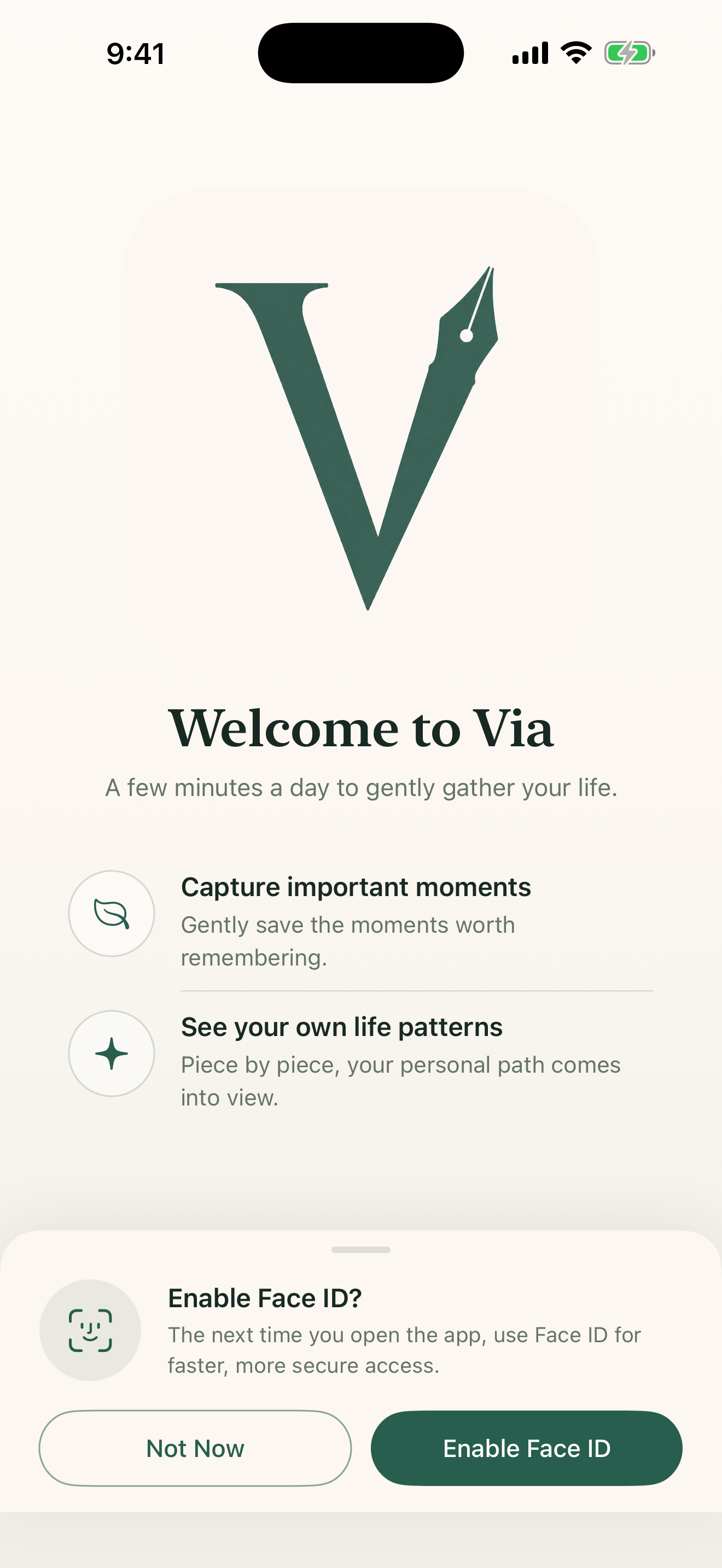
Face ID / Touch ID 锁定

为 App 加一道生物识别锁,可设置自动锁定时长,保护隐私。

Face ID / Touch ID lock

Add biometric protection with a configurable auto-lock timeout to guard your private thoughts.

🌐

中英文双语

自动跟随 iOS 系统语言,也可在设置中手动切换。AI 内容跟随语言。

Chinese & English

Auto-matches your iOS language. Switch manually in Settings. AI content follows your language too.

时间越长,洞察越深

Via拾光 的 AI 会在每个周期结束后,对你这段时间的记录做整体观察,生成一份温和的个人报告。

The longer you use it, the deeper it sees.

Via Journal's AI reflects on your records at the end of each period, generating a gentle personal observation report.

📆

每日

完成当天记录后,即时生成一条私人 AI 观察反馈。

Daily

After each entry, a personal AI observation is generated immediately.

📊

每周

7 天结束后,一份整体观察让你看见这一周的节奏。

Weekly

At the end of 7 days, a holistic reflection reveals the week's rhythm.

🗓️

每月

月度复盘识别当月主题、能量高低和成长方向。

Monthly

Monthly review identifies themes, energy patterns, and direction of growth.

🌟

每季 / 每年

更长跨度的视角,看见你在更大尺度上的变化与沉淀。

Quarterly / Annual

A wider lens to see how you've changed and what has settled over longer spans.

✦ AI 会为每份总结提炼一句暖心标题,例如:

2026年第23周 · 每一步小进展都值得被看见
2026年5月 · 把重要的事稳稳往前推
2026年第2季度 · 那些认真推进的事正在发光

✦ AI crafts a warm, personal title for each summary, for example:

Week 23, 2026 · Every small step forward deserves to be seen
May 2026 · Steadily pushing what matters most
Q2 2026 · The things you worked on are starting to shine

你的日记,只有你能看

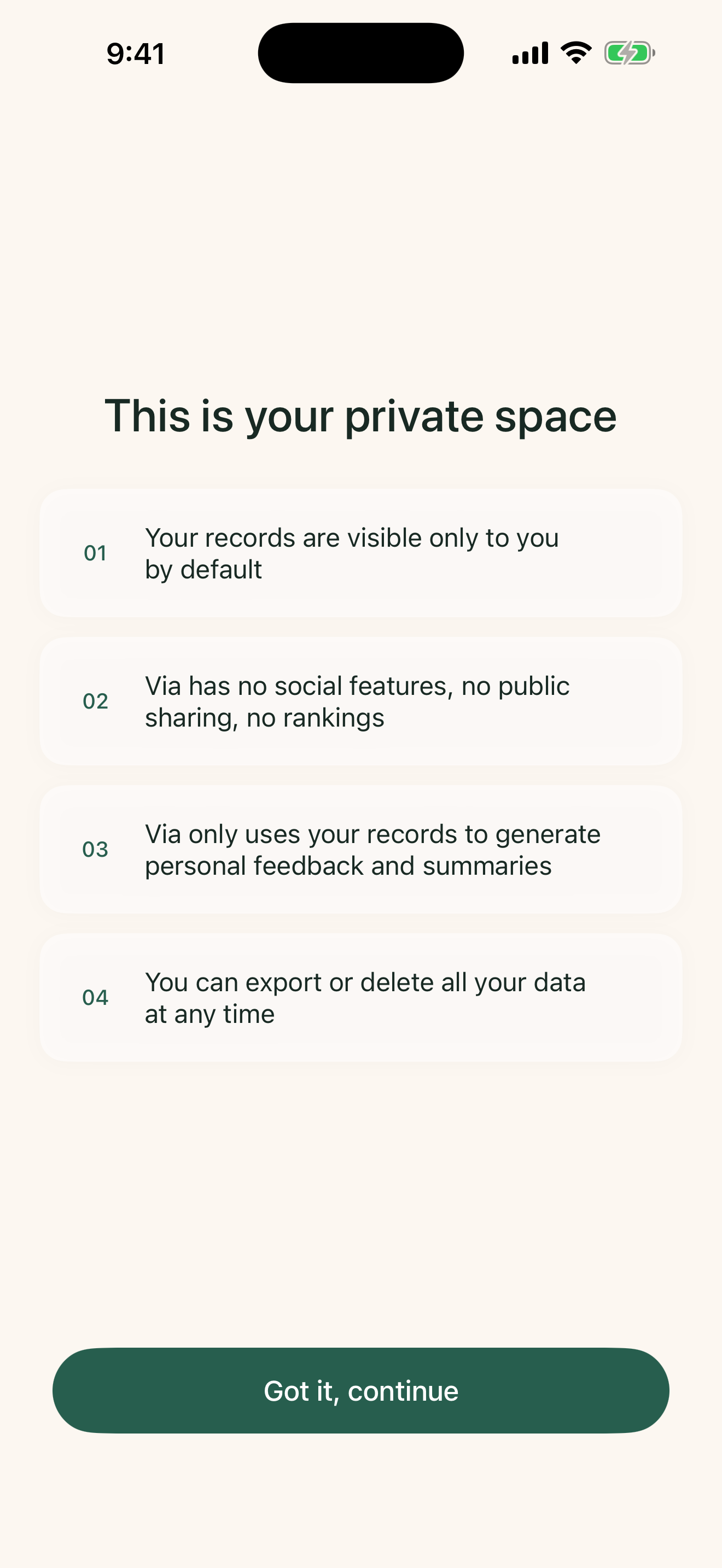
Via拾光 没有服务器账号,不使用任何云端 AI 服务,不集成任何第三方追踪 SDK。AI 推理完全在你的设备上完成。

Your journal. Only yours.

Via Journal has no server accounts, uses no cloud AI services, and integrates zero third-party tracking SDKs. AI inference runs entirely on your device.

🔒 本地存储Local storage
🤖 设备端 AIOn-device AI
🚫 零第三方追踪Zero 3rd-party tracking
👤 无账号系统No accounts
📴 离线可用Works offline

常见问题

找不到你的问题?发邮件给我们,通常在 72 小时内回复。

Frequently asked questions

Can't find your answer? Email us — we usually reply within 72 hours.

我的日记会上传到云端吗? Will my journal be uploaded to the cloud?
不会。所有日记、照片、AI 内容都保存在你的 iPhone 本地数据库(SwiftData)中,从不发送到任何服务器。Via拾光 没有后端,没有账号系统。 No. All journals, photos, and AI content are saved in your iPhone's local database (SwiftData) and never sent to any server. Via Journal has no backend and no account system.
AI 功能需要网络吗? Does the AI feature require an internet connection?
不需要。Via拾光 使用 Apple Foundation Models——一种完全运行在设备端的大语言模型,无需联网。若设备暂不支持,Via拾光 会使用内置模板生成内容,同样不需要网络。 No. Via Journal uses Apple Foundation Models — a large language model running entirely on your device with no internet required. If your device doesn't support it yet, Via Journal uses built-in templates to generate content, also with no network needed.
如何备份和恢复数据? How do I back up and restore my data?
前往「设置 → 导出数据」,选择「完整备份(JSON)」。这份文件包含你所有的日记、总结、照片和 AI 内容。换机或重装 App 后,在同一位置选择「导入备份」即可恢复。 Go to Settings → Export Data and choose "Full Backup (JSON)." This file contains all your journals, summaries, photos, and AI content. After switching devices or reinstalling, tap "Import Backup" in the same location to restore everything.
如何删除所有数据? How do I delete all my data?
前往「设置 → 删除所有数据」,输入"DELETE"确认后,所有日记、总结和 AI 内容将被彻底清除。此操作不可撤销,建议先导出完整备份。卸载 App 也会从设备上删除所有数据。 Go to Settings → Delete All Data, type "DELETE" to confirm, and all journals, summaries, and AI content will be permanently erased. This cannot be undone — we recommend exporting a full backup first. Uninstalling the app also removes all data from your device.
什么时候生成周 / 月 / 季度总结? When are weekly / monthly / quarterly summaries generated?
每当你完成某个周期最后一天的记录,或者下次打开 App 时,Via拾光 会自动检查并生成该周期的总结。首份总结在你累积满 7 天记录后生成。 Summaries are generated automatically when you complete the last day's entry of a period, or the next time you open the app. Your first summary is generated after you've recorded 7 days.
忘记记录了怎么办?可以补记吗? I forgot to journal. Can I add a past entry?
可以。Via拾光 支持「待补全」功能。在日历或历史时间线中,你可以直接点击任何未记录的日期进行补写,或者通过历史顶部的提醒横幅一键补记。当然,跳过某些天完全没问题,Via拾光 没有任何连续打卡压力,一切以你的节奏为准。 Yes. Via Journal supports backdated entries. You can tap any empty date on the calendar tab or timeline to add an entry, or use the retroactive banner in the history tab. Skipping a day is still completely fine — Via Journal won't pressure you.
Via拾光 支持哪些 iPhone 型号? Which iPhone models does Via Journal support?
Via拾光 需要 iOS 17.0 或更新版本。Apple Foundation Models 的 AI 功能需要支持该特性的设备(目前为搭载 A17 Pro 及以上芯片或 M 系列芯片的设备);其他设备可使用模板生成版本的 AI 内容,所有其他功能完全可用。 Via Journal requires iOS 17.0 or later. The AI features powered by Apple Foundation Models require a supported device (currently A17 Pro or later, or M-series chip). On other devices, Via Journal uses template-generated AI content — all other features work fully.
如何切换中文 / 英文? How do I switch between Chinese and English?
Via拾光 会自动跟随 iOS 系统语言(中文系统 → 中文,其他语言 → 英文)。你也可以前往「设置 → 语言」手动切换,切换后 AI 生成的内容也会随之改变语言。 Via Journal automatically follows your iOS system language (Chinese system → Chinese; other languages → English). You can also go to Settings → Language to switch manually. AI-generated content will follow your chosen language.

有问题,直接说

遇到 bug、有功能建议、或者有任何隐私方面的疑虑,欢迎发邮件给我。

Got a question? Just ask.

Found a bug, have a feature idea, or any privacy concern — email me directly.

👤

Peter Chang

Via拾光 独立开发者 Independent Developer, Via Journal

[email protected]

⏱ 通常在 72 小时内回复。感谢你使用 Via拾光。 ⏱ Typically responds within 72 hours. Thank you for using Via Journal.